
My heart sank as I realized I had forgotten to set up the room. I was driving to work when my boss called about a meeting with physicians that morning. The details were in my work calendar, humming away on my office PC, completely useless to me in the car. That’s the moment I became a magpie...
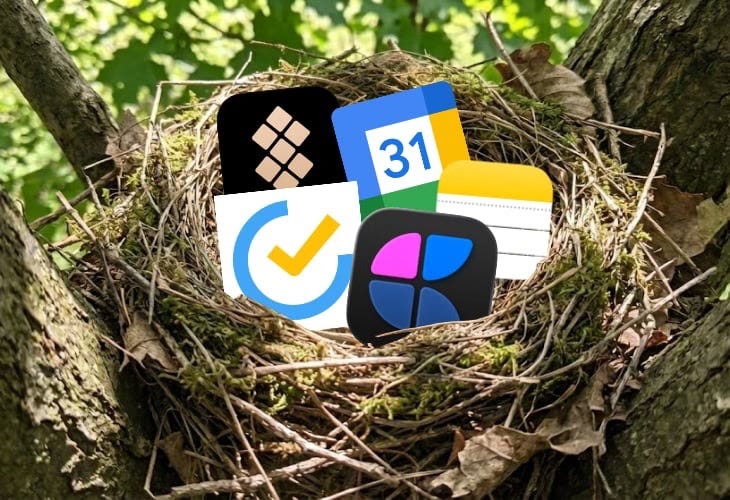
A magpie builds its nest out of anything useful. It uses twigs, string, wire, and mud. It doesn’t care if the materials match. It only cares if the nest holds. That is how I now approach productivity. I don’t force myself into a single ecosystem. I take the task manager from one company, the notes app from another, and the calendar from a third. I combine them to build a workflow that actually supports my life.
I am a magpie.
If a new app launches, I download it. If a new workflow trends, I test it. I scavenge the internet for the best tools and tips, pick out the shiny parts that actually work, and bring them back to my nest. I discard the rest.
I have spent more time organizing my work than actually doing it. Many of us have. It is time to stop searching for the ultimate tool and start building a system that works.
Here are the shiny bits I used to build my productivity nest in 2025.
The Task Manager: TickTick
I used Todoist for years, back when having my tasks sync between my phone and computer felt revolutionary. I subscribed and never looked elsewhere because money was tight and it worked. But when Todoist raised prices to add AI features I’d never use (looking at you Ramble) I had to move on.
TickTick has a few other benefits like a Pomodoro Timer, Countdowns, and a Habit Tracker on top of being a fantastic task manager. I like the aesthetics of Todoist (probably since I have been using it for so many years), but TickTick prioritizes function over form. I was able to convert over to TickTick with ease as it has great recurring tasks support that is a must-have in my productivity nest.
The Project Hub: Craft
When I need to think deeply or plan a work project, I open Craft. It is visually beautiful and makes organizing complex thoughts feel effortless. While TickTick is for doing, Craft is for building. I collect all my work and meeting notes here. I haven’t built a complex system here like I once did in Notion. It just works seamlessly for me.
The Personal Archive: Apple Notes
Simple. Fast. Native. I use Apple Notes for anything that I want to archive or reference later. It has zero friction, so it’s great to snap a picture of the dog food bag and share the note with the family so everyone knows how much to feed her. I know I’m not going out of Apple’s ecosystem, so having a permanent free notes app is a great choice for me to save things that I might need to reference later.
The Timekeeper: Google Calendar
Years ago, before I knew what ‘time blocking’ was, I created an ‘Every Hour’ calendar and logged everything I did, updating it throughout the day. It was half planning, half journaling, and completely obsessive. I’ve scaled back since then, but Google Calendar remains the backbone of my system. My wife and I share calendars for appointments. I track my favorite college football team’s schedule (Go Vols!). If it’s on my calendar, it exists. If it’s not, it doesn’t.
The Toolbox: Setapp
When I finally saved enough stimulus money for a MacBook Pro in 2020, after years of rendering videos on a work laptop that got as hot as the sun and sounded like a jet engine, I went app-crazy. I downloaded everything. After that initial binge, I realized I was hemorrhaging money on subscriptions. Setapp solved this. One subscription, dozens of premium Mac apps including Craft. It’s the best value in the Apple ecosystem, especially for former Windows converts like me who are still discovering what’s possible.
I’ve tried Trello, Notion, Microsoft ToDo, Evernote (okay, not Evernote, I never got on that bandwagon). I spent more time trying to fit my workflow into a crafted system that someone else created instead of actually working. My nest still isn’t perfect, and it will probably look different next year.
I wasted years searching for the ultimate system when I should have been building a functional one. These five tools keep my life running right now. They might not work for you, and that’s fine.
Build your own nest.
What’s the weirdest app combination you’ve made work? Subscribe and reply to let me know the one app you cannot live without this coming year.